This seemed simple enough, to set up the system to send windows to specific workspaces, and specific screens, but I ended up getting into C preprocessor headaches, and then eventually figured out how to name the workspaces, literally, and had a few problems after that. It’s not easy, but here’s what I’ve done so far, and how I did it.
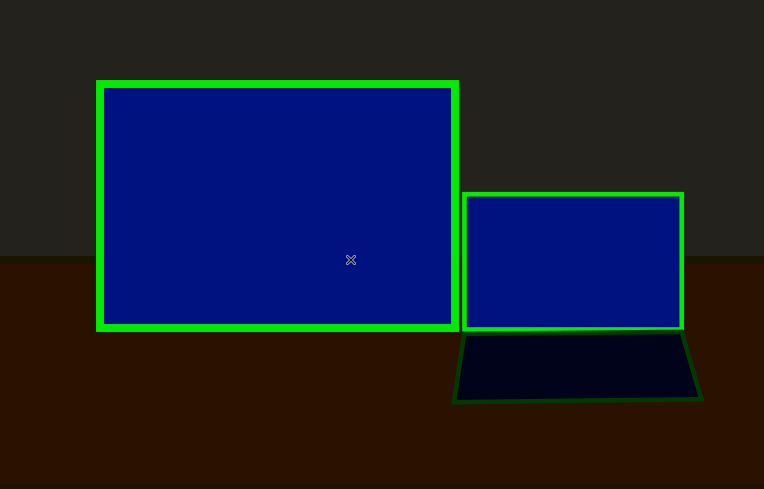
So, here’s my current desktop layout. It’s a laptop plugged into a HD monitor, for two screens.
My system is MINT Linux Cinnamon, but with Regolith, a GNOME environment with the i3 full-screen/tiling window manager. Here’s a video about it:
i3 uses named workspaces (also known as Desktops, Virtual Desktops, or Spaces in Windows and MacOS), numbered from 1 to 19, and you jump to them by pressing Win+1, Win+2… Win+Ctrl+1… etc. (Win can also be the Apple Key or “Super”)
Normally, you have to press Win+Shift+1 to move a window to workspace 1.
Starting up a session can be a pain, because you bring up the apps you want, and they all show up in the current workspaces.
I like to keep all my comms apps, like Signal, in workspace 1. I want my first browser to go to workspace 3.
I also want all my odd-numbered workspaces on the big screen on the left, and even numbered workspace on the right, on the laptop screen.
Here’s my config file: .config/regolith3/i3/config.d/workspace-to-display.config
# mkdir -p  ~/.config/regolith3/i3/config.d
# vi ~/.config/regolith3/i3/config.d/workspace-to-display.config
# Run xrandr --listmonitors to get the monitor names
#
# Sample output:
#
# Monitors: 2
# 0: +*HDMI-1 1920/509x1080/286+0+0  HDMI-1
# 1: +eDP-1 1920/309x1080/173+1920+0  eDP-1
#
# Paste the configs below in and edit to match your desired monitor setup

workspace "$ws1" output HDMI-1
workspace "$ws2" output eDP-1
workspace "$ws3" output HDMI-1
workspace "$ws4" output eDP-1
workspace "$ws5" output HDMI-1
workspace "$ws6" output eDP-1
workspace "$ws7" output HDMI-1
workspace "$ws8" output eDP-1
workspace "$ws9" output HDMI-1
workspace "$ws10" output eDP-1
workspace "$ws11" output HDMI-1
workspace "$ws12" output eDP-1
workspace "$ws13" output HDMI-1
workspace "$ws14" output eDP-1
workspace "$ws15" output HDMI-1
workspace "$ws16" output eDP-1
workspace "$ws17" output HDMI-1
workspace "$ws18" output eDP-1
workspace "$ws19" output HDMI-1

assign [class="thunderbird"] "$ws1"
assign [class="proton-mail"] "$ws1"
for_window [class="Signal"] move to workspace "$ws1"
# These don"t work
for_window [class="Element *"] move to workspace "$ws1"
for_window [class="WhatsApp"] move to workspace "$ws1"

assign [class="firefox"] "$ws3"Workspaces Associated with Displays
At the top of my config, I have some comments to remind me how I did it. You run xrandr –listmonitors to get the monitor names:
xrandr --listmonitorsThen you put these lines to assign a workspace to a display:
workspace "$ws1" output HDMI-1
workspace "$ws2" output eDP-1
.
.
.
workspace "$ws18" output eDP-1
workspace "$ws19" output HDMI-1Then, you assign windows to workspaces:
assign [class="thunderbird"] "$ws1"
assign [class="proton-mail"] "$ws1"
for_window [class="Signal"] move to workspace "$ws1"
# These don"t work
for_window [class="Element *"] move to workspace "$ws1"
for_window [class="WhatsApp"] move to workspace "$ws1"

assign [class="firefox"] "$ws3"The first three lines work, and the last line works, but the lines for Element and WhatsApp don’t work. These config lines are tricky to figure out, because you don’t know what info the app is exposing to the window manager. Finding out is a pain in the butt, but here are instructions:
One of these days, I may update this with a bunch of programs configured to show up on specific workspaces.
Errors
For a while, I had my own config in .config/regolith3/i3/config, which I think may have caused error messages and weird behavior. (I may be wrong, though.)
The workspace names were causing problems. The “names” looked like HTML – because they were:
1:<span> </span>1 <span foreground="#3584E4"></span><span> </span>That’s the name, with all the HTML in it. It gets rendered by Pango.
However, when this line is expanded, it breaks:
# The original config line:
workspace "$ws1" output HDMI-1
# The line after the variable expansion:
workspace "1:<span> </span>1 <span foreground="#3584E4"></span><span> </span>" output HDMI-1The problem is the double quote within the double-quoted string. I got a ton of error messages.
I thought, “this is easy. Try using single-quotes”:
# The original config line:
workspace '$ws1' output HDMI-1
# The line after the variable expansion:
workspace '1:<span> </span>1 <span foreground='#3584E4'></span><span> </span>' output HDMI-1OK, I don’t know what the hell was going on, but single quotes caused the variable expansion to also use single quotes inside the string.
I tried it without any quotes at all, but that didn’t work, because variable expansions are done before the entire line is parsed. So all the spaces in the code would separate the name into words. That’s why the quotes were there.
After reading a lot, and digging around, I found where these long, troublesome names were being generated: /usr/share/regolith-look/default/wm
The code looks a little like this:
#define Q(x) #x
#define QUOTE(x) Q(x)
#define glyph typeface_bar_glyph_workspace
#define WORKSPACE_NAME(INDEX, COLOR, GLYPH) INDEX:<span> </span>INDEX <span foreground=COLOR>GLYPH</span><span> </span>

wm.workspace.01.name: WORKSPACE_NAME(1, QUOTE(color_blue), glyph)
.
.
.Yes, those are C preprocessor (cpp) directives.
For the 99% of people who don’t know what C or the C Preprocessor is: it’s a macro language. Here’s a video about it. Skip it if you know it.
The obvious fix was to single-quote the color value, so the expansion would look like this:
workspace "1:<span> </span>1 <span foreground='#3584E4'></span><span> </span>" output HDMI-1I tried:
#define SQ(X) 'X'That didn’t work, because the X would not expand within a single (or double) quoted string. (This was one of the features of the cpp.)
After an hour or two of reading, talking to AI, and looking for solutions, and failing to ever get it working with macros, I figured out something: I needed to run the cpp on the config files to get the computed config, because the workspace name definitions would be in there.
The file at the top of all the configs, with all the #includes, was called root, and the command to spit out the config:
cpp /usr/share/regolith-look/default/rootThat showed me the computed config:
wm.workspace.01.name: 1:<span> </span>1 <span foreground="#3584E4"></span><span> </span>
wm.workspace.02.name: 2:<span> </span>2 <span foreground="#95E6CB"></span><span> </span>
wm.workspace.03.name: 3:<span> </span>3 <span foreground="#33D17A"></span><span> </span>
.
.
.Now, we just need to be able to override what the macros produced.
This can be done through Xresources.
Here are the config lines that define the $ws1… variables:
###############################################################################
# Workspace Names
# These are the labels which define each workspace.
###############################################################################

set_from_resource $ws1  wm.workspace.01.name "1"
set_from_resource $ws2  wm.workspace.02.name "2"
set_from_resource $ws3  wm.workspace.03.name "3"
.
.
.set_from_resource sets a variable value, first looking for the value in Xresources, and if it’s not there, using the supplied default.
The canonical way for end users to configure Regolith is through the Xresources file. (Having now tried to mess with the config files, I understand why: it’s easy to completely screw up the config files.)
So setting the correct value was as simple as pasting this into the .config/regolith3/Xresources file:
wm.workspace.01.name: 1:<span> </span>1 <span foreground='#3584E4'></span><span> </span>
wm.workspace.02.name: 2:<span> </span>2 <span foreground='#95E6CB'></span><span> </span>
wm.workspace.03.name: 3:<span> </span>3 <span foreground='#33D17A'></span><span> </span>
wm.workspace.04.name: 4:<span> </span>4 <span foreground='#F6D32D'></span><span> </span>
wm.workspace.05.name: 5:<span> </span>5 <span foreground='#FF7800'></span><span> </span>
wm.workspace.06.name: 6:<span> </span>6 <span foreground='#E01B24'></span><span> </span>
wm.workspace.07.name: 7:<span> </span>7 <span foreground='#75507B'></span><span> </span>
wm.workspace.08.name: 8:<span> </span>8 <span foreground='#9141AC'></span><span> </span>
wm.workspace.09.name: 9:<span> </span>9 <span foreground='#986A44'></span><span> </span>
wm.workspace.10.name: 10:<span> </span>10 <span foreground='#3584E4'></span><span> </span>
wm.workspace.11.name: 11:<span> </span>11 <span foreground='#95E6CB'></span><span> </span>
wm.workspace.12.name: 12:<span> </span>12 <span foreground='#33D17A'></span><span> </span>
wm.workspace.13.name: 13:<span> </span>13 <span foreground='#F6D32D'></span><span> </span>
wm.workspace.14.name: 14:<span> </span>14 <span foreground='#FF7800'></span><span> </span>
wm.workspace.15.name: 15:<span> </span>15 <span foreground='#E01B24'></span><span> </span>
wm.workspace.16.name: 16:<span> </span>16 <span foreground='#75507B'></span><span> </span>
wm.workspace.17.name: 17:<span> </span>17 <span foreground='#9141AC'></span><span> </span>
wm.workspace.18.name: 18:<span> </span>18 <span foreground='#986A44'></span><span> </span>
wm.workspace.19.name: 19:<span> </span>19 <span foreground='#3584E4'></span><span> </span>NOTE: the color values are single quoted. I copied this from the config dump above, and did a search-replace for “, replacing with ‘.
That corrected the config file errors I was getting, and a few other problems I may have introduced.
Conclusion
This was way more difficult than it needed to be.
This workspace naming scheme seems like a bad idea, at least if the name is more than a single word. Rather than referring to a workspace by it’s fancy HTML code label, a named workspace should also have a “label” property, for this string to display.
The cpp is kind of cool, but kind of a pain in the ass.

Author: admin
This is the server’s system administrator. This site is undergoing some changes.