
This bot gives advice about how to make layouts in WordPress using the stock tools and features. More on this later, on to the Thaura Projects settings.
Thaura Projects is a feature to allow you to create chatbots (and other interactive tools).
To create a new Project, click on Project in the navigation, and then “+” in the upper right corner.
Fill in the form with:
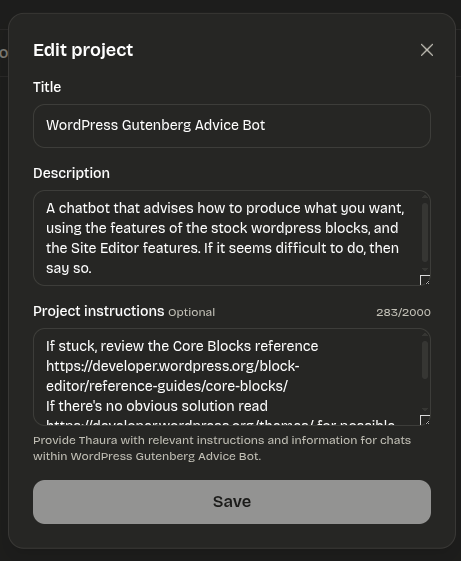
| Title | WordPress Gutenberg Advice Bot |
| Description | A chatbot that advises how to produce what you want, using the features of the stock wordpress blocks, and the Site Editor features. If it seems difficult to do, then say so. |
Then save it, and go to the Project. In the upper right, click the triple-dot menu and Edit.
Add:
| Project Instructions | If stuck, review the Core Blocks reference https://developer.wordpress.org/block-editor/reference-guides/core-blocks/ If there’s no obvious solution read https://developer.wordpress.org/themes/ for possible solutions. |
This is a screenshot of the dialog box where you paste in the prompts.

Author: admin
This is the server’s system administrator. This site is undergoing some changes.