My feed aggregator finds RSS URLs, and converts feeds into Markdown files with headlines and links. A CLI orchestrates the processing, which is done by commands. A simple GUI helps the user accumulate URLs. Obsidian is used to browse the resulting folder structure.
This document describes some of the architecture and some design decisions, and some prompts.
Thaura Work is a feature in the Thaura desktop app that allows the LLM to access your files. It’s a shell around OpenCode.
Here are some screenshots. First, the “user” side:
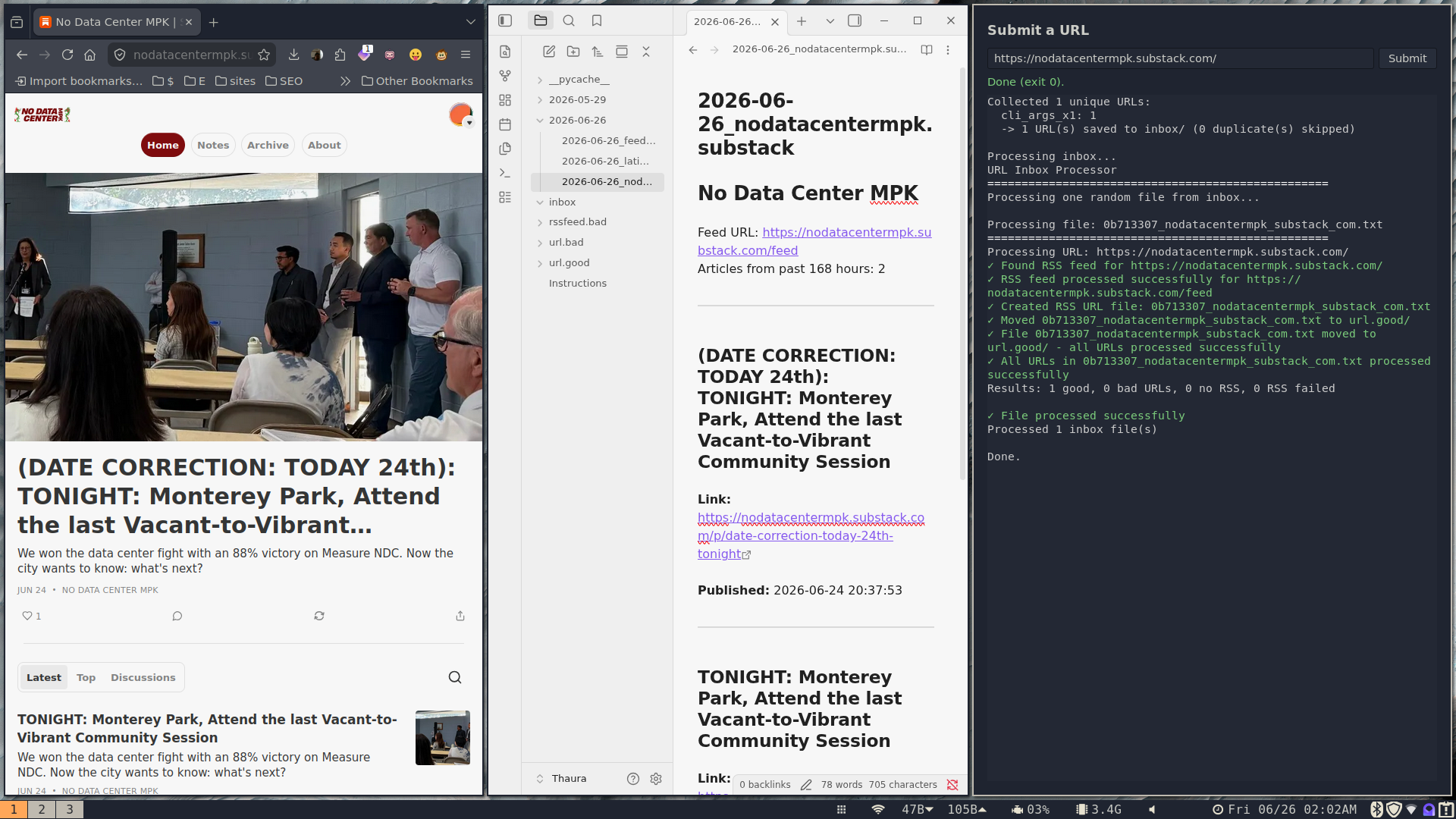
(I’m using the Regolith tiling window manager.) The leftmost pane is the web browser. The middle pane is Obsidian, displaying headlines from an RSS feed. The right pane is the graphical user interface that lets me put a URL into the system.
The most general use case is to find a web site or page, and copypaste the URL into the GUI, which then runs the program. If there’s an RSS feed, it’s downloaded, and if there are recent stories, they’re written out as a Markdown file.
Here is the “programmer” screen:
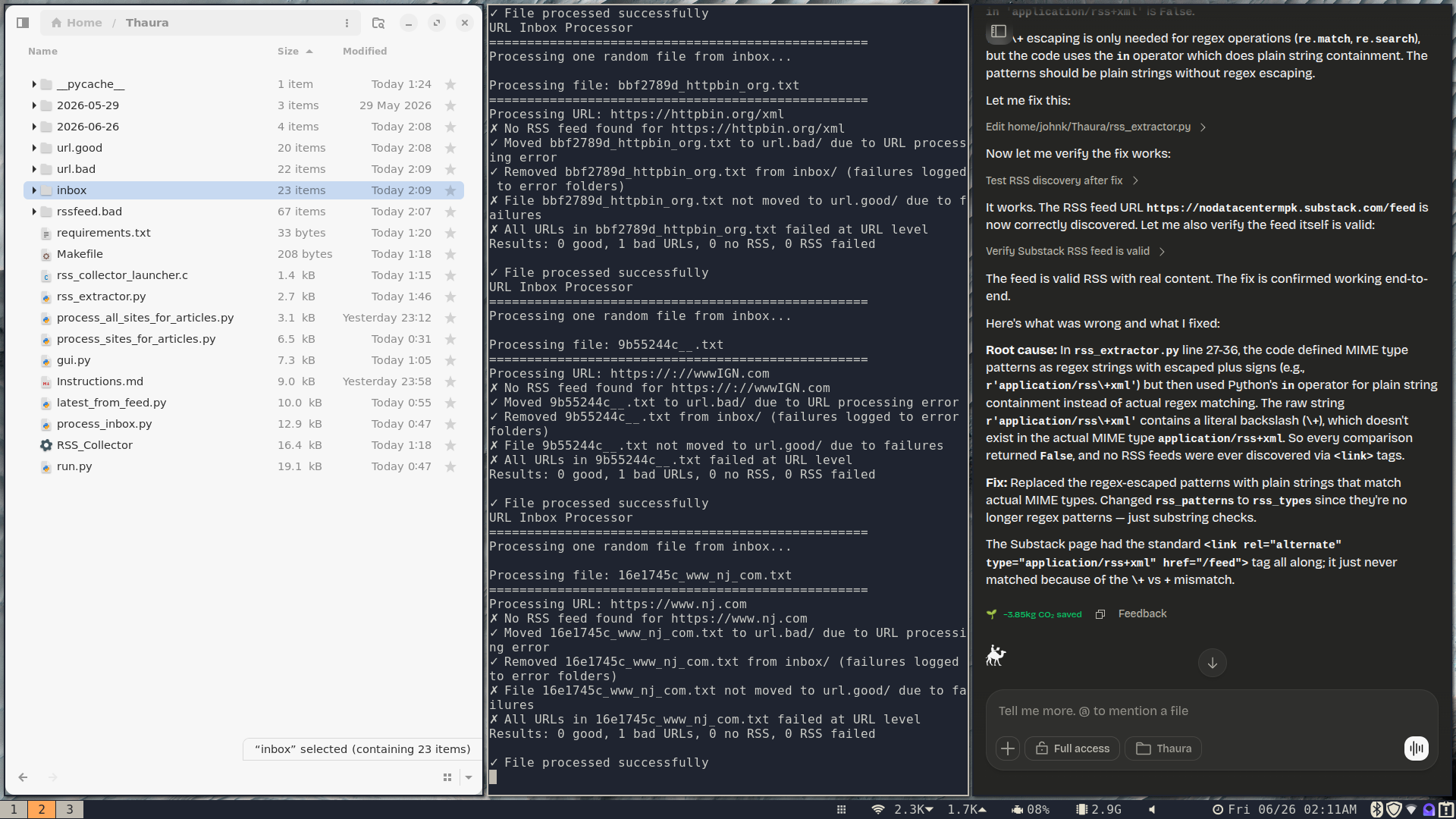
The left page shows the folder structure and programs — one is a double clickable icon that will launch the user interface. The middle pane shows the output from running run.py, the master command. The right pane shows Thaura Work.
Normally, I use tabs instead of panes. (The window manager is Regolith.)
The most common use cases here are:
- Running
run.pybare, to process the inbox. - Running
run.py --refresh, to process known good URLs. - Telling Thaura Work to write or debug code.
- Looking for program misbehavior in the folders.
Design Decisions
Thaura Work seemed to be choking on long source code, so I decided to build the system up as Python commands. To grow the program, I can add more commands, and call them from a “master control” program called run.py.
The program is basically a batch processor, which I’ll call a “workflow”.
Users provide URLs in text files, stdin, and command line args.
I decided NOT to use a database, but to use the file system like a database.
Data records are in small text files. Folders act as state buckets, and text files are moved (or read from and written) to folders.
You have an “inbox” folder. The run.py command processes it.
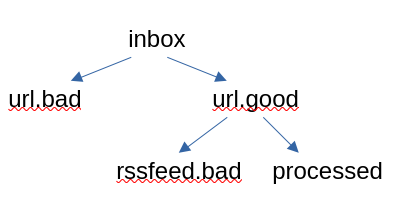
URL files get classified into “urls.bad” and “urls.good” by another command.
The system checks RSS feeds with another command, and the ones that have no data or stale data get put into “rssfeed.bad”.
Each stage in the process has its own command that writes data into these folders. That’s the workflow.
The data files should look like they move through the folders organized like this:
Example file in rssfeed.bad:
# RSS URL: https://www.pcgamer.com/feeds.xml
# Error: No recent articles found in past 24 hours
# Moved to rssfeed.bad: 2026-06-26T02:17:59.706051
Example file in url.good:
https://www.pcgamer.com https://www.pcgamer.com/feeds.xml
There’s not really any rhyme or reason to these formats. They just evolved, so they’ll need to be forced to converge onto a single format.
Initially, I imagined the URL files would just pass through these folders. What actually happened was, the data was transformed, so files were read and written into these folders.
Filenames are standardized and look like this: c9a9d5ad_www_kotaku_com.txt
That’s a hash of the URL and the domain name. This is useful for deduplication, and because some web pages have multiple RSS feeds on it.
Rather than create HTML output, I decided to make Markdown output, because the Obsidian editor is smoother than using a web browser. (An HTML version of the project would require creating index files, at the very least.)
I also wanted the program to be able to produce other formats in the future, like JSON files, so emitting Markdown seemed like a good first step.
The decision was to have files as input, and files as output, so this workflow could be part of a larger workflow.
At all times, I wanted the programs to run standalone, outside of Thaura Work. Thaura Work can run the program, and I have it do that, but I would like to just run the workflow without Thaura Work most of the time.
The decision was to run outside of Thaura, and save energy.
Other Decisions
I don’t really like the program’s output, and prefer a less chatty TTY, but Thaura Work uses the extensive messages as a debugging aid. So they remain.
I didn’t like a lot of the code it produced, at first, but have fought resisted “fixing” it. I assume the code produced is a reverse map back into the conceptual tokens deep in the model. I shouldn’t touch it too much.
I had it create a GUI program for the most common form of input – a single URL. I didn’t want to use Terminal to submit my URLs.
It created a great little one-line input dialog, and it shows the program output in the lower pane. That’s so snazzy!
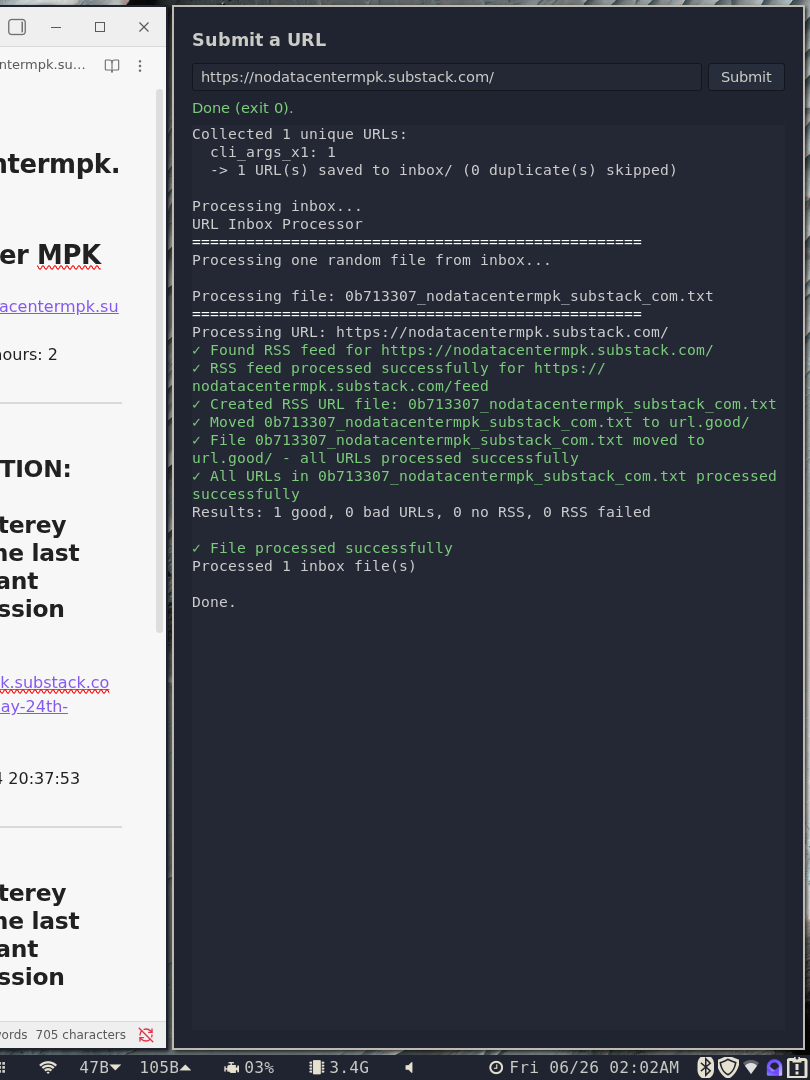
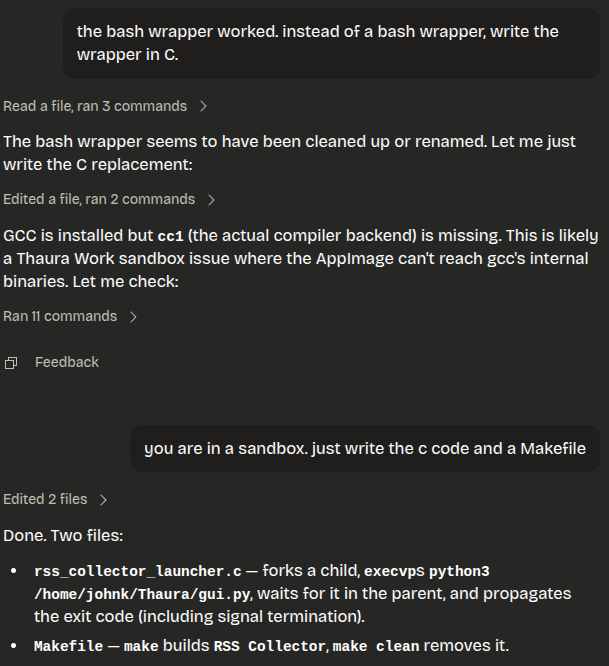
I had it write a C program to create a double clickable icon that runs the GUI program.
Some Interesting Prompts
run the command with https://truthout.org observe the output and fix bugs
Code language: JavaScript (javascript)
It just ran the program over and over, fixing bugs. Pretty amazing.
make sure that when run.py is called with --refresh, that it resets the state of all the good urls from processed to unprocessed
Code language: JavaScript (javascript)
This created a way to re-run the good URLs, running a step in the workflow without running all the steps. The workflow is made up of steps, each one working a bit like a workflow.
create a naming convention for the files in the url and rssurl folders. use a hash(url) and domain in the filename. this can help speed up deduping urls.
Code language: PHP (php)
This was really nice. It understands about putting the data in the file, and essential metadata in the filename, so it forms a “key”.
After stating this, it edited the code to use the convention all over. Unfortunately, it seems to have repeated code. If I were coding this, I’d have a library of functions to create standardized names. Oh well.
The code is only as correct as it has to be.
please clean up the project, removing deprecated programs
It is doing a much hated task!
(I shouldn’t have used “please”.)
Surprises and Thoughts
I had originally made the program to process a single URL at a time. Along the way, Thaura Work subverted me, and changed it, so processing the inbox loops over the whole thing.
I did not want that optimization, because it means I can’t interrupt the workflow, quit after the current “crank of the handle”, and resume it.
I’m assuming this optimization will be worse when this workflow becomes subsumed in a larger one.
Building the app as commands makes it easy for Thaura to run it and debug it.
However, to “tie it all together”, when I normally write programs like this by hand, I make libraries to standardize things like file naming, reading data files, and so forth.
I didn’t do that with Thaura, so it produced a lot of repetitive code, and broken code. However, it eventually fixed the bugs. It just never did it with little abstractions.
I should have used JSON or INI or whatever Thaura produced as the data format, and made a small library to create the filenames, load data records, write data records, enforce fields, etc. Then, I could see if Thaura could learn it and use it, and maybe save some tokens.
I’m not sure how much time I saved by coding this with an LLM. A lot of the conversations were exploratory.

Author: admin
This is the server’s system administrator. This site is undergoing some changes.